"How close are we to our tier limit?"
"Our user count keeps growing. Should we move up a tier at renewal?"
"Every site is different. Is there a way to compare them at a glance?"
If you manage an organization on Atlassian Cloud, you've probably asked at least one of these questions.
The answers are in Atlassian Administration, but the information you need is spread across several pages.
The more sites and products you add, the harder it is to see the whole picture.
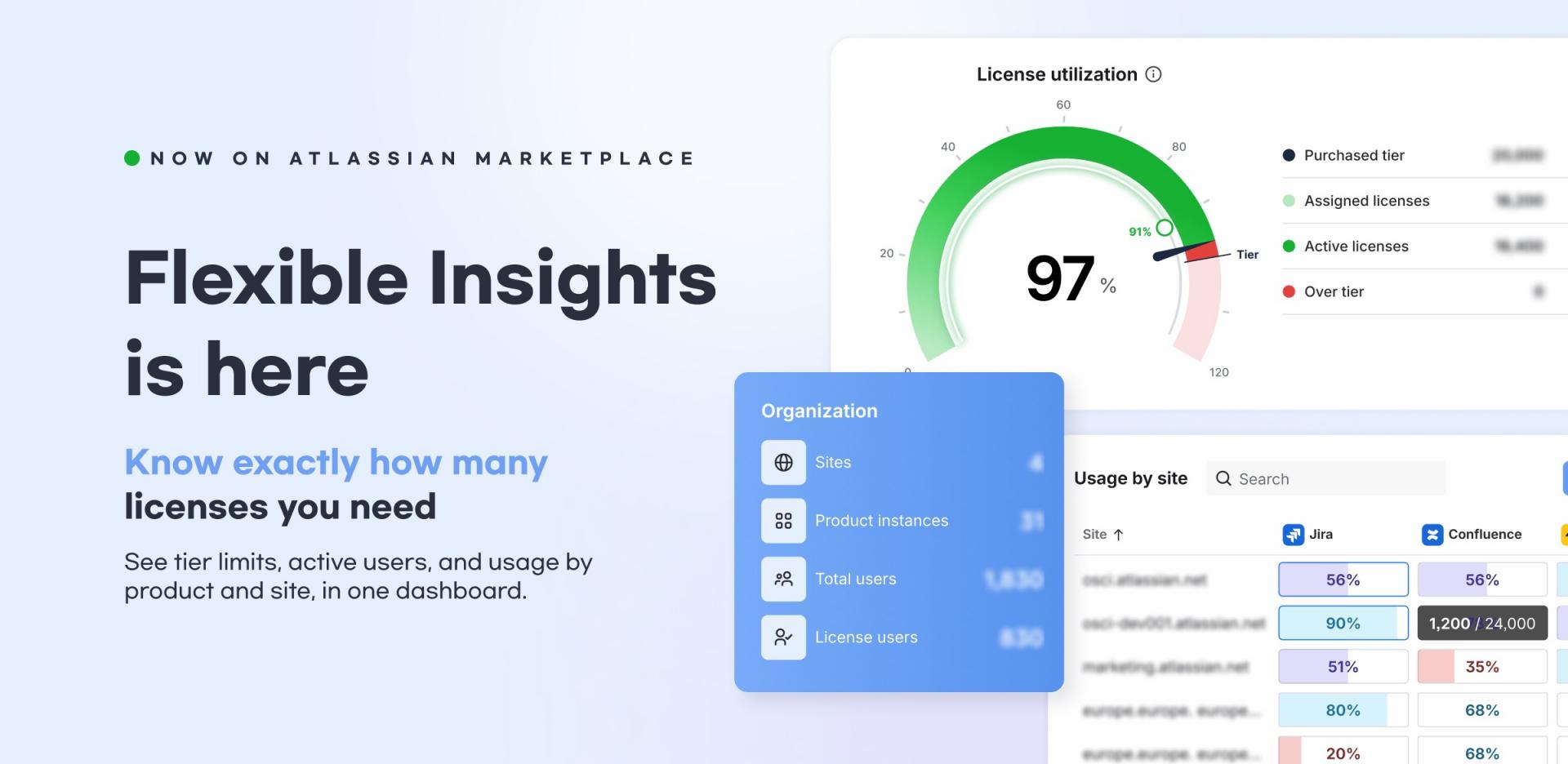
OpenSource Consulting has launched Flexible Insights on the Atlassian Marketplace.
It's a free app that answers these questions with data.
Atlassian license usage: What your bill doesn't show
Your Atlassian bill tells you how many licenses you bought.
It doesn't tell you how many of them are actually in use, or when you'll reach your limit.
That gap leads to some familiar problems:
- As your user count grows, it's hard to notice that you're getting close to your tier limit.
- At renewal, you have no numbers to help you decide whether to move up a tier, stay, or move down.
- With multiple sites, you can't compare them on one screen to see which are running short and which have room to spare.
Flexible Insights gives you the numbers. It collects each user's last access date and shows actual utilization for every product.
That tells you whether you're short on licenses or have room to spare. The goal isn't fewer licenses or more licenses. It's the right size for your organization.
Flexible Insights uses only read-only scopes, so the app won't change any of your data while you review your license usage. Only admins who can access Jira administration can open the app, and the server checks admin permissions on every request.
Key features
1. Track license usage against your tier limit
For each product and site, one gauge shows your assigned licenses and your active licenses over the last 30 days against your license tier.
The gauge goes up to 120% of your tier, so you can see right away how close you are to your limit, or whether you've already gone over it (Over tier).
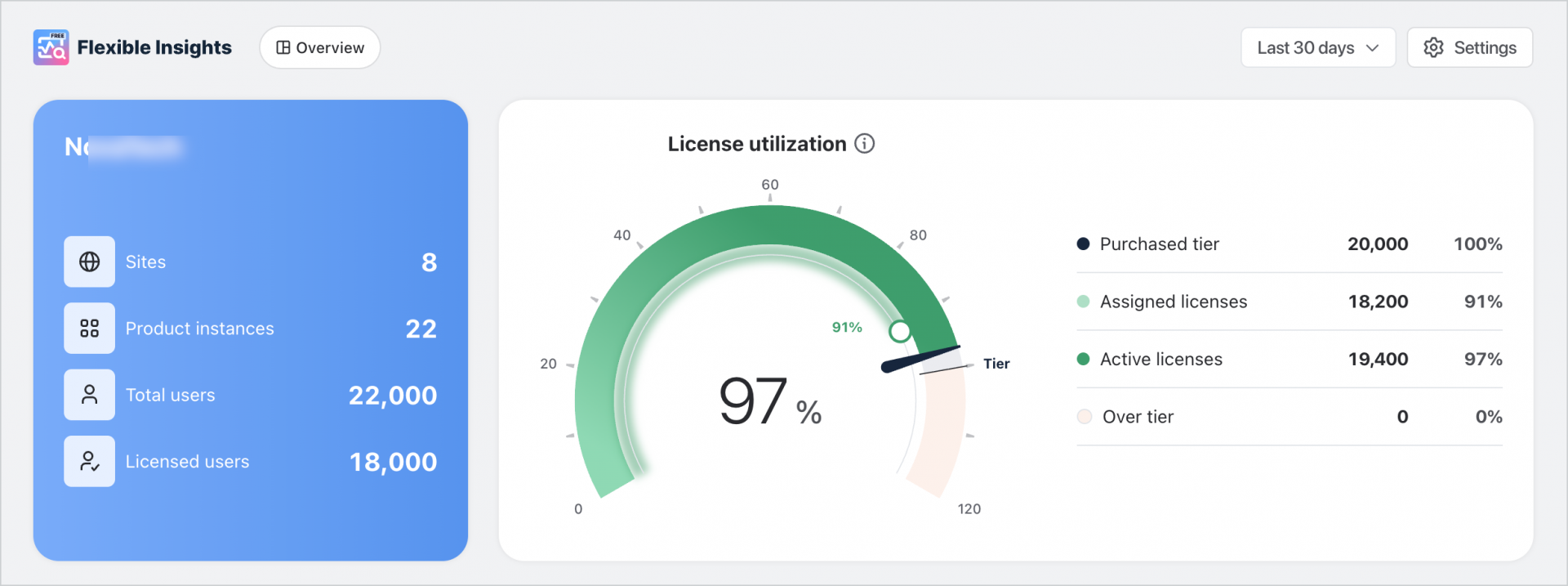
Utilization is measured based on your billing cycle. Annual plans are purchased by tier, so utilization is measured against the tier. Monthly plans are billed per user, so utilization is measured against assigned licenses.
2. Compare license usage across sites and products
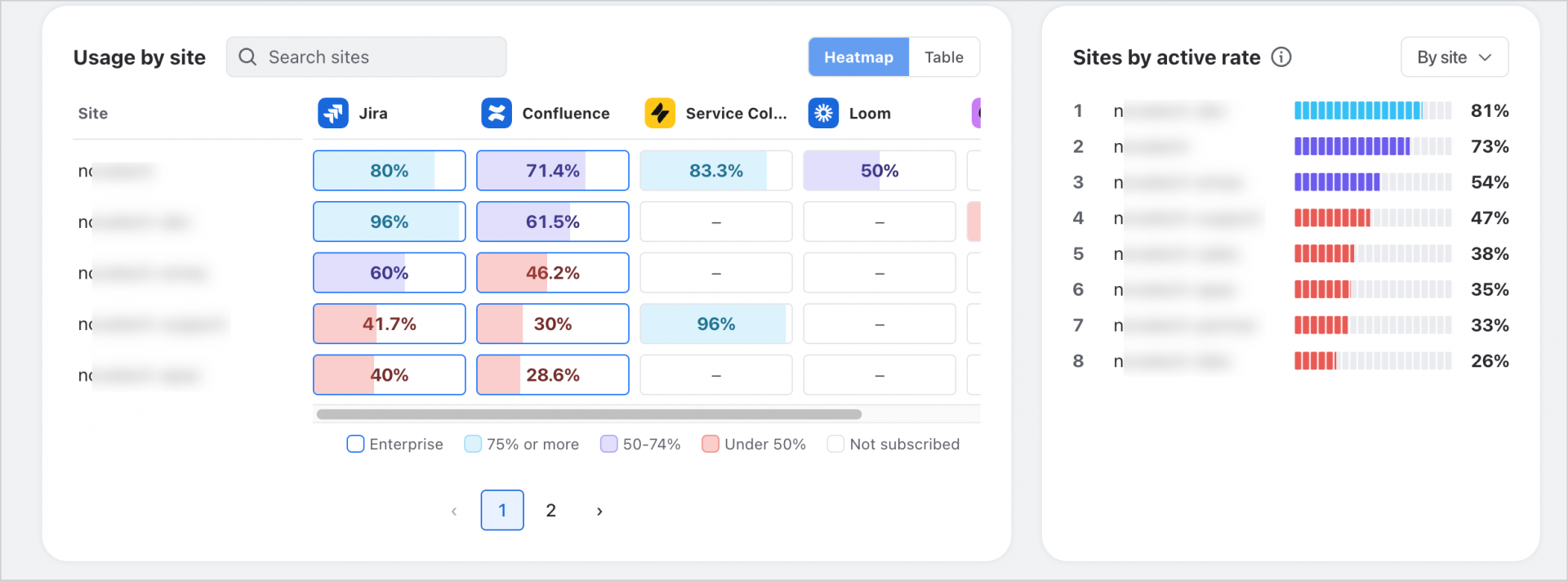
A heatmap and a ranking let you compare utilization by site and product.
You can see on one screen which sites are using their licenses heavily and running short, and which still have room.
That makes it easier to set priorities, even in enterprise environments with many sites.
3. Right-size your license tier before renewal
Usage data is aggregated every day, so you can track how your active user count changes over time.
If your user count is steadily growing toward your tier limit, you can plan a tier upgrade in advance.
If many licenses show no activity, you can see how much room you have.
When renewal comes around, you can choose your tier based on data instead of guesswork.
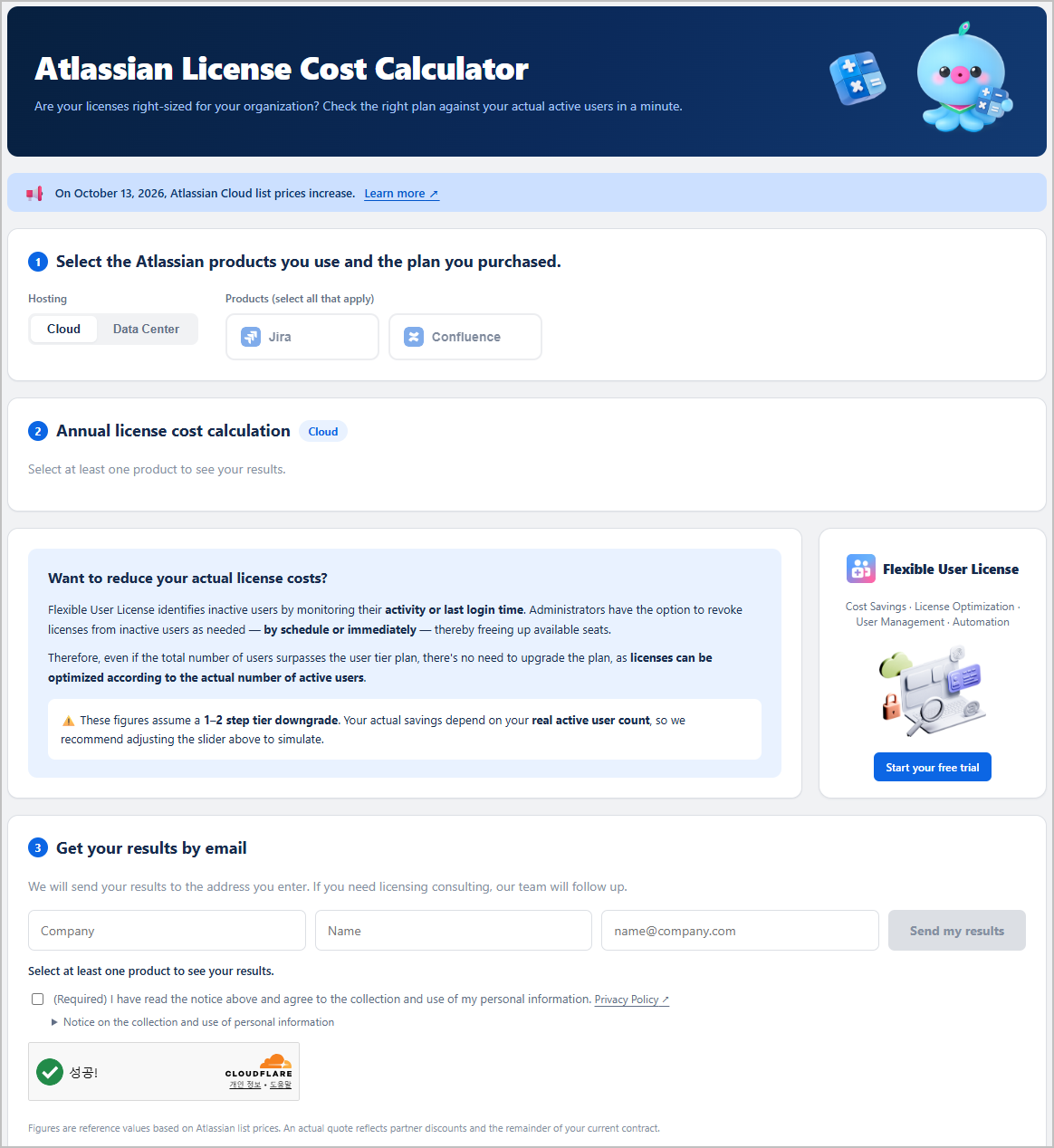
Open the License cost calculator to work out the right tier and cost based on your active users.
Who it's for
- Is your user count growing fast? Organization admins who need to plan the timing and budget for a tier upgrade
- Is renewal coming up? License managers who need to choose the tier for the next contract based on data
- Do you run multiple sites? Organization admins who need to manage license usage on one screen
- Do you report on license budgets? IT and procurement teams who need data to justify the size they need
Take it further with Flexible User License
Once you've reviewed your license usage, you may want to manage users and licenses with rules.
For that, try Flexible User License alongside Flexible Insights.
It automatically revokes licenses from inactive users and gives them to the users who need them, so you get the most out of the licenses you have.
You can also go straight from Flexible Insights to Flexible User License.
Get started with a simple connection
You can install Flexible Insights for free from the Atlassian Marketplace.
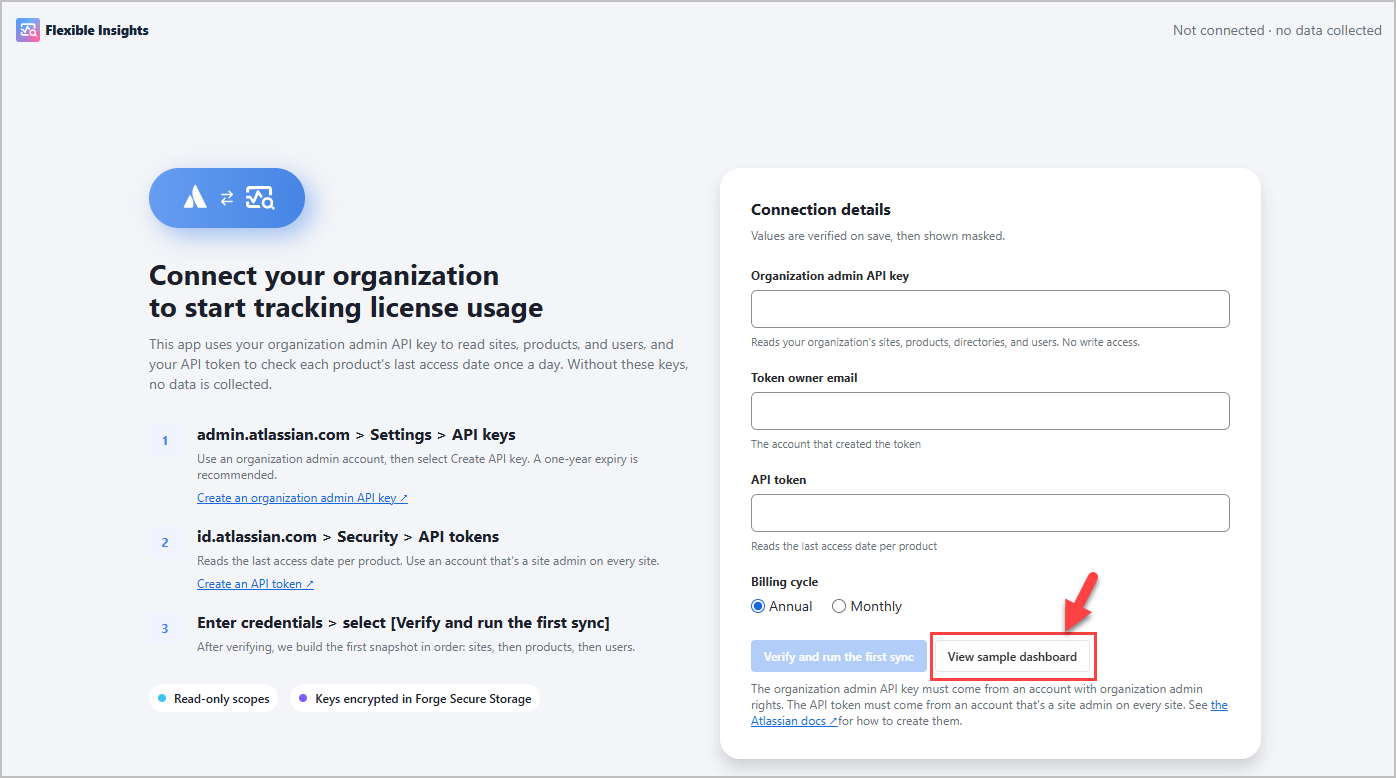
After you install it, connect your organization admin API key and API token once, and you're ready to go.
From then on, the app collects data once a day to keep your dashboard up to date.
The connection uses only read-only scopes, and your keys are encrypted and stored in Forge Secure Storage.
If your keys aren't ready yet, select View sample dashboard to look around a dashboard filled with sample data.
Wrapping up
Buying more licenses isn't the right answer, and neither is buying fewer.
The right answer is to have as many as your organization actually uses, plus what it will need as it grows.
With Flexible Insights, you'll know before you reach your tier limit. At renewal, you can set your tier based on accurately aggregated data.
However many sites you run, you can see on one screen where you need more licenses and where you have room to spare. You can then use that data in your budget planning and reports.
Find the right license size for your organization with Flexible Insights today.
👉 Try Flexible Insights for free (Atlassian Marketplace)
👉 Try Flexible User License for Jira for free (Atlassian Marketplace)
👉 Try Flexible User License for Confluence for free (Atlassian Marketplace)








If you manage an organization on Atlassian Cloud, you've probably asked at least one of these questions.
The answers are in Atlassian Administration, but the information you need is spread across several pages.
The more sites and products you add, the harder it is to see the whole picture.
OpenSource Consulting has launched Flexible Insights on the Atlassian Marketplace.
It's a free app that answers these questions with data.
Atlassian license usage: What your bill doesn't show
Your Atlassian bill tells you how many licenses you bought.
It doesn't tell you how many of them are actually in use, or when you'll reach your limit.
That gap leads to some familiar problems:
Flexible Insights gives you the numbers. It collects each user's last access date and shows actual utilization for every product.
That tells you whether you're short on licenses or have room to spare. The goal isn't fewer licenses or more licenses. It's the right size for your organization.
Flexible Insights uses only read-only scopes, so the app won't change any of your data while you review your license usage. Only admins who can access Jira administration can open the app, and the server checks admin permissions on every request.
Key features
1. Track license usage against your tier limit
For each product and site, one gauge shows your assigned licenses and your active licenses over the last 30 days against your license tier.
The gauge goes up to 120% of your tier, so you can see right away how close you are to your limit, or whether you've already gone over it (Over tier).
Utilization is measured based on your billing cycle. Annual plans are purchased by tier, so utilization is measured against the tier. Monthly plans are billed per user, so utilization is measured against assigned licenses.
2. Compare license usage across sites and products
A heatmap and a ranking let you compare utilization by site and product.
You can see on one screen which sites are using their licenses heavily and running short, and which still have room.
That makes it easier to set priorities, even in enterprise environments with many sites.
3. Right-size your license tier before renewal
Usage data is aggregated every day, so you can track how your active user count changes over time.
If your user count is steadily growing toward your tier limit, you can plan a tier upgrade in advance.
If many licenses show no activity, you can see how much room you have.
When renewal comes around, you can choose your tier based on data instead of guesswork.
Open the License cost calculator to work out the right tier and cost based on your active users.
Who it's for
Take it further with Flexible User License
Once you've reviewed your license usage, you may want to manage users and licenses with rules.
For that, try Flexible User License alongside Flexible Insights.
It automatically revokes licenses from inactive users and gives them to the users who need them, so you get the most out of the licenses you have.
You can also go straight from Flexible Insights to Flexible User License.
Get started with a simple connection
You can install Flexible Insights for free from the Atlassian Marketplace.
After you install it, connect your organization admin API key and API token once, and you're ready to go.
From then on, the app collects data once a day to keep your dashboard up to date.
The connection uses only read-only scopes, and your keys are encrypted and stored in Forge Secure Storage.
If your keys aren't ready yet, select View sample dashboard to look around a dashboard filled with sample data.
Wrapping up
Buying more licenses isn't the right answer, and neither is buying fewer.
The right answer is to have as many as your organization actually uses, plus what it will need as it grows.
With Flexible Insights, you'll know before you reach your tier limit. At renewal, you can set your tier based on accurately aggregated data.
However many sites you run, you can see on one screen where you need more licenses and where you have room to spare. You can then use that data in your budget planning and reports.
Find the right license size for your organization with Flexible Insights today.
👉 Try Flexible Insights for free (Atlassian Marketplace)
👉 Try Flexible User License for Jira for free (Atlassian Marketplace)
👉 Try Flexible User License for Confluence for free (Atlassian Marketplace)